
What the screen compares
Universe and expiry determine the covered contracts. Regime (Local), Price GEX Position and Flip Nearby filters answer different questions: current model state, location relative to significant exposure levels and proximity to a crossing. A positive-gamma label does not mean a bullish price forecast.
Absolute GEX can be useful for finding large modeled concentrations, but raw magnitudes depend on the exposure units, quantity and underlying scale. They should not be treated as directly comparable risk scores without checking normalization.
Screenshot: filters and instrument rows
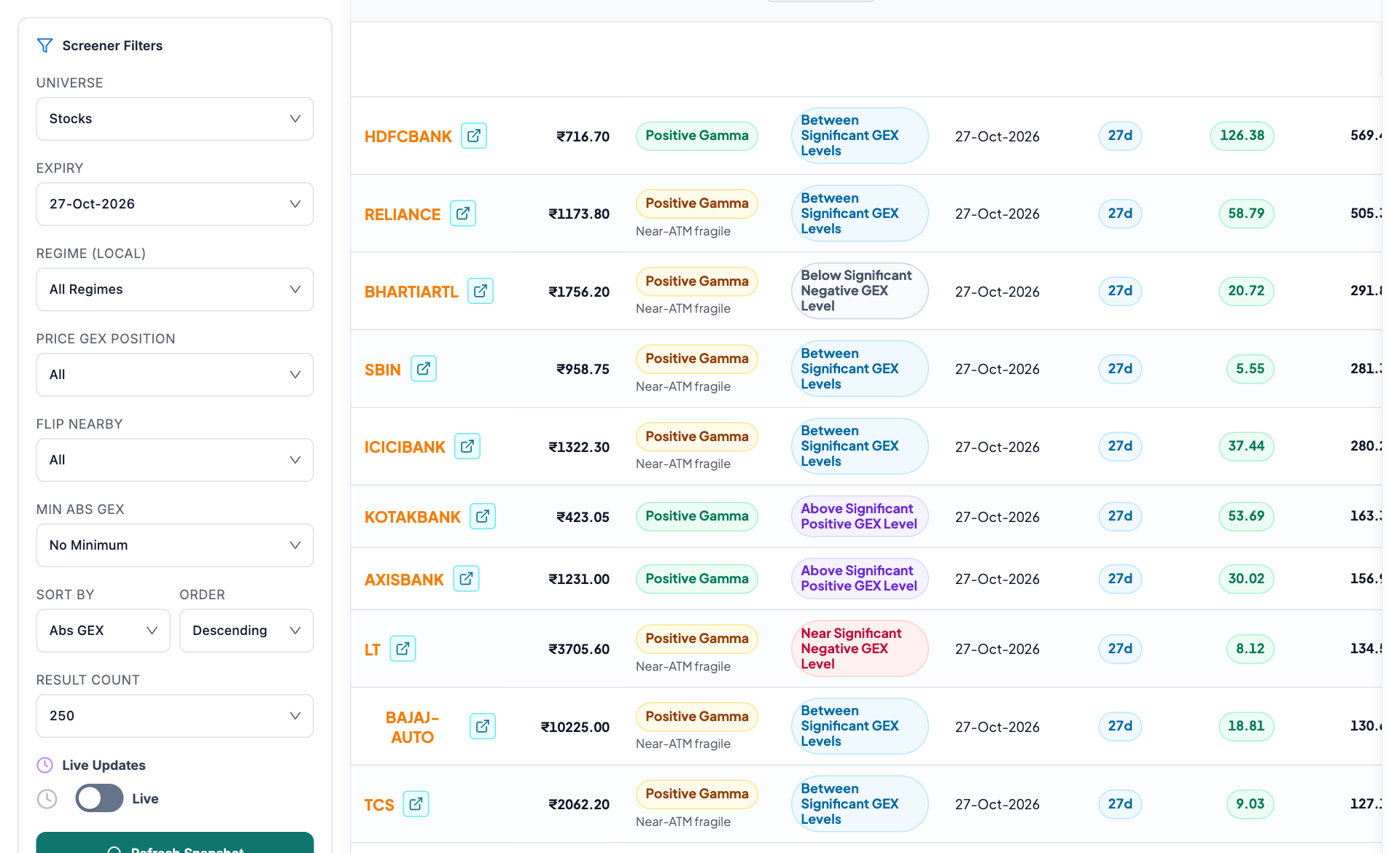
- Universe and expiry. These selections establish the option-chain population behind the list.
- Separate structural filters. Local regime and price position are related measurements with different definitions.
- Sorting and magnitude. A larger absolute exposure does not automatically mean a better trading opportunity.
- Inspect a candidate. Read the regime and level-position labels together, then open the individual instrument chart.
Build a shortlist without losing context
- Choose universe and expiry scope, then check the snapshot time and covered-name count.
- Apply one structural filter at a time. Start with local regime, then inspect price position and flip proximity.
- Set an absolute-GEX threshold only after reading its units. Use sorting to organize the result rather than as an entry rule.
- Read each candidate’s regime, days to expiry and level context. Treat near-ATM fragility as additional context rather than a directional signal.
- Open its GEX profile to inspect strike bars, walls, the zero crossing and how those features change through time.
Worked example: a nearby flip is not a prediction
Two instruments can have the same distance to their modeled flip but different gross exposure, concentration and time to expiry. One may have a broad stable profile; the other may rely on a thin strike. The screener finds both, while the individual chart explains why they are different.
Screening does not reveal actual holder books
GEX models assume positioning because open interest does not reveal every participant’s long or short side. Missing contracts, stale Greeks and different sign conventions can change rankings. Verify coverage and use price, events and liquidity alongside the model.