
What this tool helps you investigate
Use pre-open analysis to inspect sampled auction conditions and compare those conditions with the later open or session outcome. It separates the auction gap from what happened after trading began.
Historical first-hour and day-outcome fields are retrospective. They were not available at the auction timestamp and must not be treated as advance signals in a backtest.
Read the workspace
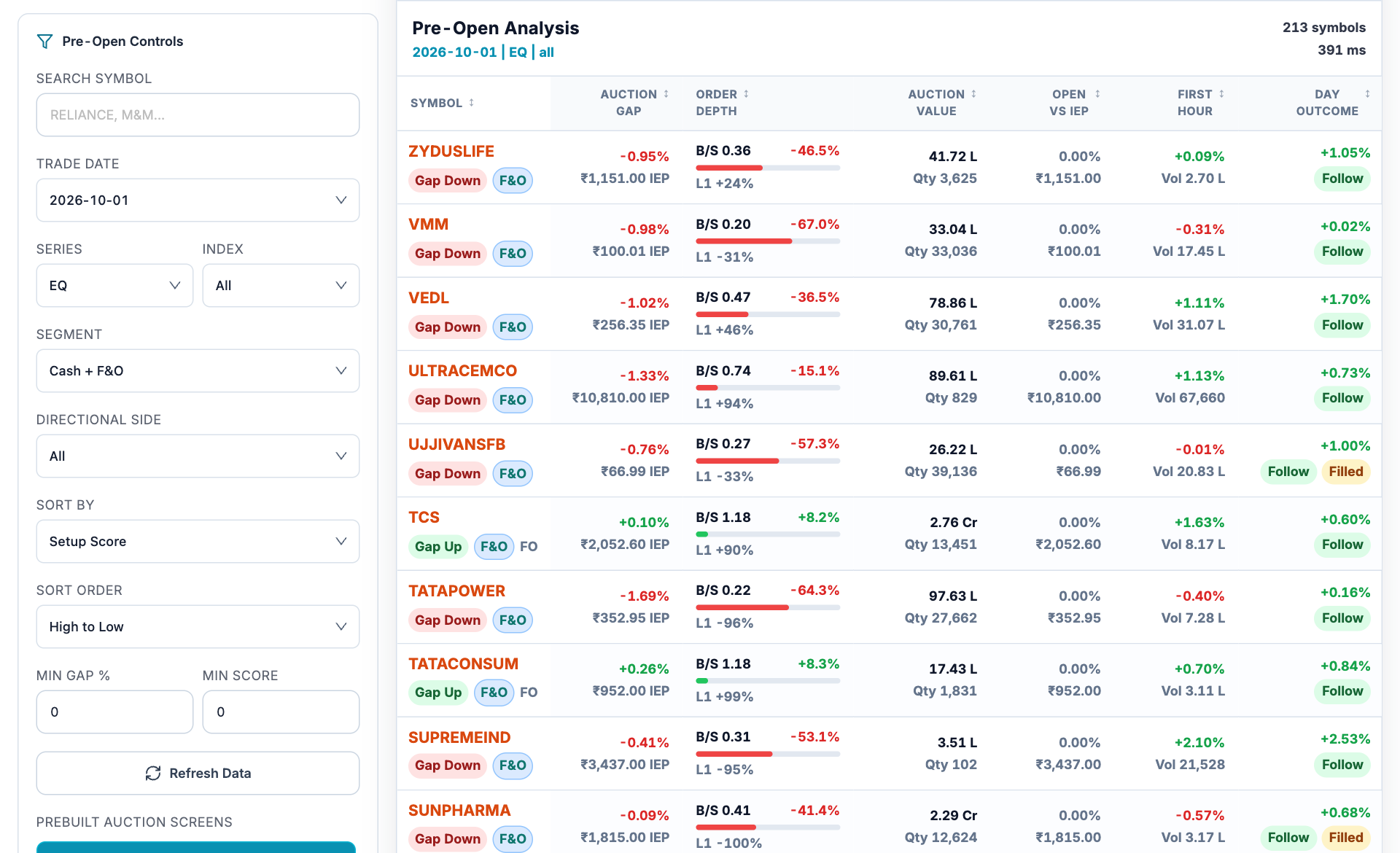
- Date and universe. Choose the historical trade date, series, index and cash or F&O segment first.
- Auction gap. The gap and IEP describe auction conditions relative to the reference, not a guaranteed execution price.
- Order depth. Buy/sell imbalance reflects the sampled auction book and can change.
- Later outcome. First-hour and day-outcome columns contain later observations; use them for retrospective review.
How to use Pre-open analysis
- Select the trade date, series and stock universe.
- Set gap, direction and minimum-score filters only after confirming their definitions.
- Read auction gap, IEP, quantity and order depth together for a candidate.
- Compare open versus IEP and later outcomes to study follow-through or gap filling.
Understand the measurements
| Measurement | How to read it |
|---|---|
| IEP | Indicative equilibrium price from the auction data. |
| Auction gap | The auction price difference from its stated reference. |
| B/S and imbalance | Sampled buy/sell quantity relationship; it is not a completed trade imbalance. |
| First hour and day outcome | Later market observations useful for historical review. |
A worked example
A stock with a -1% auction gap can open near its IEP and finish the first hour higher. The gap described the auction comparison; the later increase describes a separate interval. Keep those timestamps separate when evaluating follow-through.
Worked example
This example explains the calculation or reading process. It is not a current market observation or a trade recommendation.
Checks before drawing a conclusion
- Use only information available at each historical decision time.
- Auction orders can change or disappear before the final price is determined.
- A high setup score ranks conditions inside this tool and is not a success probability.