
What this tool helps you investigate
Use sector continuation to compare whether related futures contracts share a price-and-OI pattern and whether it persisted from the prior observation. The tool adds constituent detail to the sector label.
Continuation percentage and intensity describe the model state. They are not calibrated probabilities that the sector will move in the same direction next.
Read the workspace
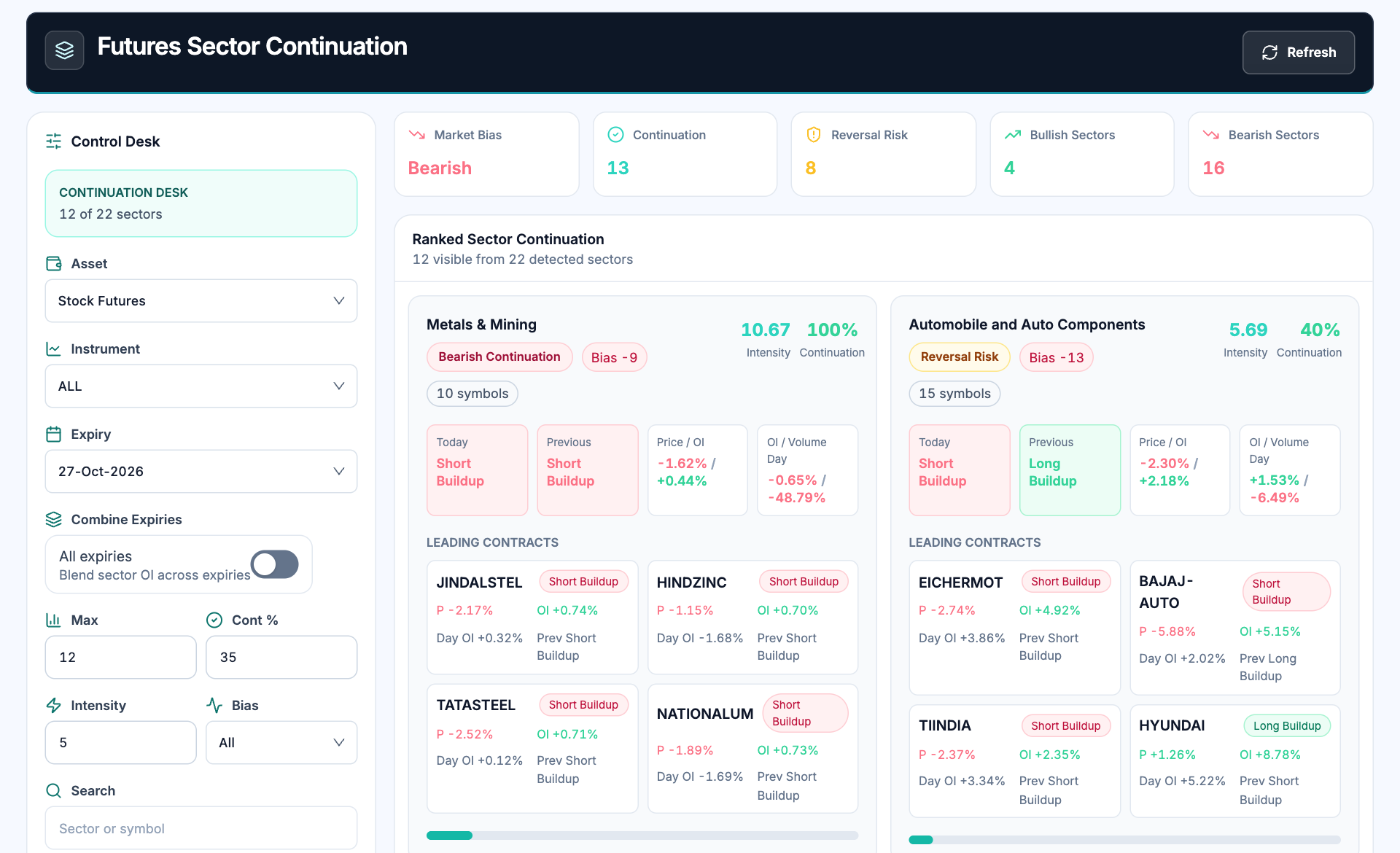
- Universe and expiry. Select the asset, instrument and contract coverage before comparing sectors.
- Market summary. Sector counts describe the model classifications in the covered universe.
- Current versus previous. Compare today and previous buildup before reading a continuation label.
- Constituent confirmation. Inspect the leading contracts; a sector label can conceal disagreements between stocks.
How to use Futures sector continuation
- Choose the stock-futures universe and expiry coverage.
- Set the continuation, intensity and direction filters to narrow the list.
- Compare current and previous buildup on each sector card.
- Inspect its constituent contracts and note any major disagreement before reviewing their charts.
Understand the measurements
| Measurement | How to read it |
|---|---|
| Bias | The directional balance derived from the covered contracts. |
| Continuation | The displayed persistence measure for the sector classification. |
| Intensity | The model measure of activity or strength in its inputs. |
| Leading contracts | Constituents whose individual price-and-OI changes support or challenge the aggregate. |
A worked example
A sector classified short buildup today and yesterday shows persistence in that pattern. If several constituents instead show long buildup, the aggregate can still be bearish while the individual opportunity set is mixed. Read both levels.
Worked example
This example explains the calculation or reading process. It is not a current market observation or a trade recommendation.
Checks before drawing a conclusion
- Keep single-expiry and combined-expiry comparisons separate.
- A sector model score is not a direct record of institutional allocations.
- A continuation label can change after the next observation.