
Choose a screen by the question
| Question | Screen family | Check before comparing |
|---|---|---|
| Is the valuation low relative to reported earnings or book value? | Valuation | Negative or exceptional earnings and sector differences |
| Is the business profitable with manageable debt? | Quality / profitability / debt | The reporting period and accounting base |
| Is growth broad-based? | Growth / cash flow | Sales, profits and cash generation together |
| How did reported ownership change? | Shareholding | Quarter, percentage points and company events |
| Which stocks meet several conditions? | Combined screens | The actual rule and each missing field |
Use a preset as a research filter
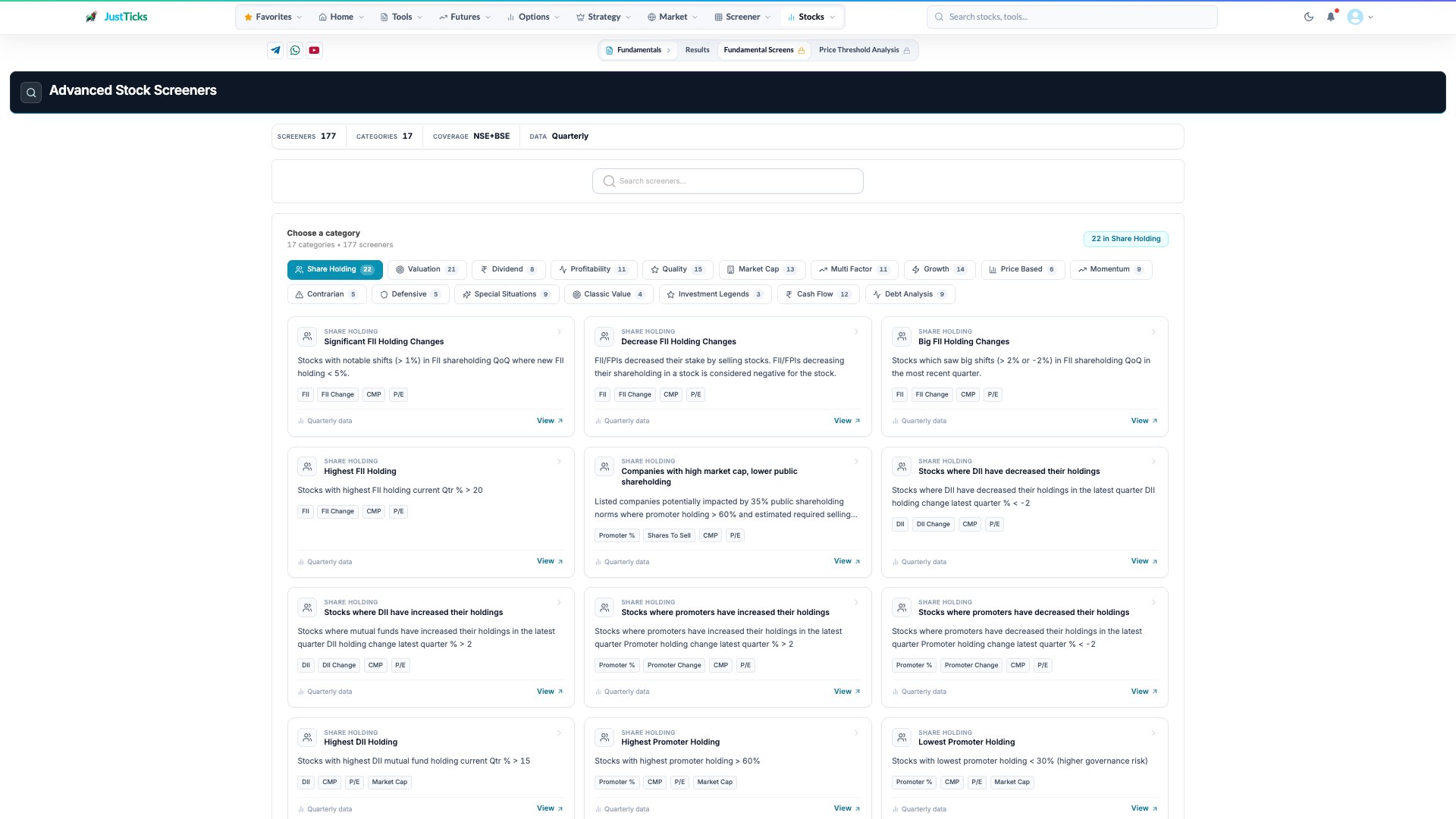
- Search. Find a particular screen rather than mixing unrelated fundamental criteria.
- Categories. Shareholding, valuation and profitability screens answer different questions.
- Screen definition. Read the actual threshold and reporting period on each card.
- Open a screen. Review the resulting company rows and source period before comparing them.
- Open Stock Screeners and select the category for the question.
- Read the screen description and conditions before opening its results.
- Inspect the table columns, reporting dates and ratio units.
- Open a company and verify unusual ratios in its underlying financial history.
- Compare similar businesses and combine valuation with quality rather than equating a low ratio with an attractive investment.
A cheap-looking ratio can have a weak denominator
Two stocks can both have a P/E of 8. One may have stable recurring earnings, while the other had a one-time profit that inflated the denominator. The screen finds a numerical condition; understanding the financial statement remains a separate research step.
A shortlist is not a valuation conclusion
- A low share price does not establish a low business valuation.
- A promoter or FII holding change does not identify its reason.
- Financial and ownership observations update on reporting schedules rather than every market tick.
- Small result sets may reflect missing fields as well as strict conditions.
- A preset does not account for every company-specific risk or future change.